How to put together event sponsorship packages, with a free template
Most sponsorship packages are three prices and a list of logos. Here's how to build ones a sponsor can say yes to, with a template you can fill in and download.

A sponsorship package is a short document that answers one question for a company: what do we get for the money? A lot of them answer it badly. Three metal names, a price under each, and a list of logo placements that look much the same from one tier to the next. The person reading it has to take it to their boss, and “your logo on our website” is a hard thing to defend in a budget meeting.
This guide is about building packages that are easier to say yes to. It covers what sponsors are paying for, how to price the tiers from the money you need to raise, and how to write the proposal. There’s a template in the middle that does the sums for you and downloads as a spreadsheet.
What a sponsor is paying for
Strip it back and a sponsor is buying three things from you. The first is attention, meaning their name in front of your delegates on the event page, on the screens and in the emails. The second is time with people: a stand where delegates stop for a chat, a talk slot, a dinner. The third is something they can report back, because whoever signed off on the spend will be asked what it achieved.
Packages tend to lean hard on the first and forget the third. Logos are the easiest thing to give away, so they end up in every tier and stop meaning much. What separates a headline sponsor from a supporter is usually the scarce stuff. There’s only one opening keynote, only so much floor space, and only one name that can go on the lanyards.
The reporting is the cheapest part to add and the part most likely to get you renewed next year. If you can tell a sponsor how many people registered through their link, how many of their passes were used and how full the room was for their talk, you’ve given them a reason to come back.
Price from the number you need
It’s tempting to look at what a similar event charges and copy it. That tells you very little, because their audience isn’t yours. Your own budget is a better place to start. Work out the gap between what tickets will bring in and what the event will cost, and that’s the number your sponsors need to cover.
Then decide how many of each package you can realistically sell, and set the prices so that selling most of them covers the gap. Selling every last one is unlikely, so leave some room. If the packages only reach your target when all of them sell, either the prices are too low or there aren’t enough packages.
It helps to look at the price the way a sponsor’s marketing team will, which is per person reached. Divide a package’s price by the number of delegates and you have its cost per delegate. That’s what they’ll weigh against a stand at a trade show, a round of paid ads or a dinner of their own. It keeps your own tiers honest too. A headline package that costs eight times as much as a supporter package should come with a lot more than a bigger logo.
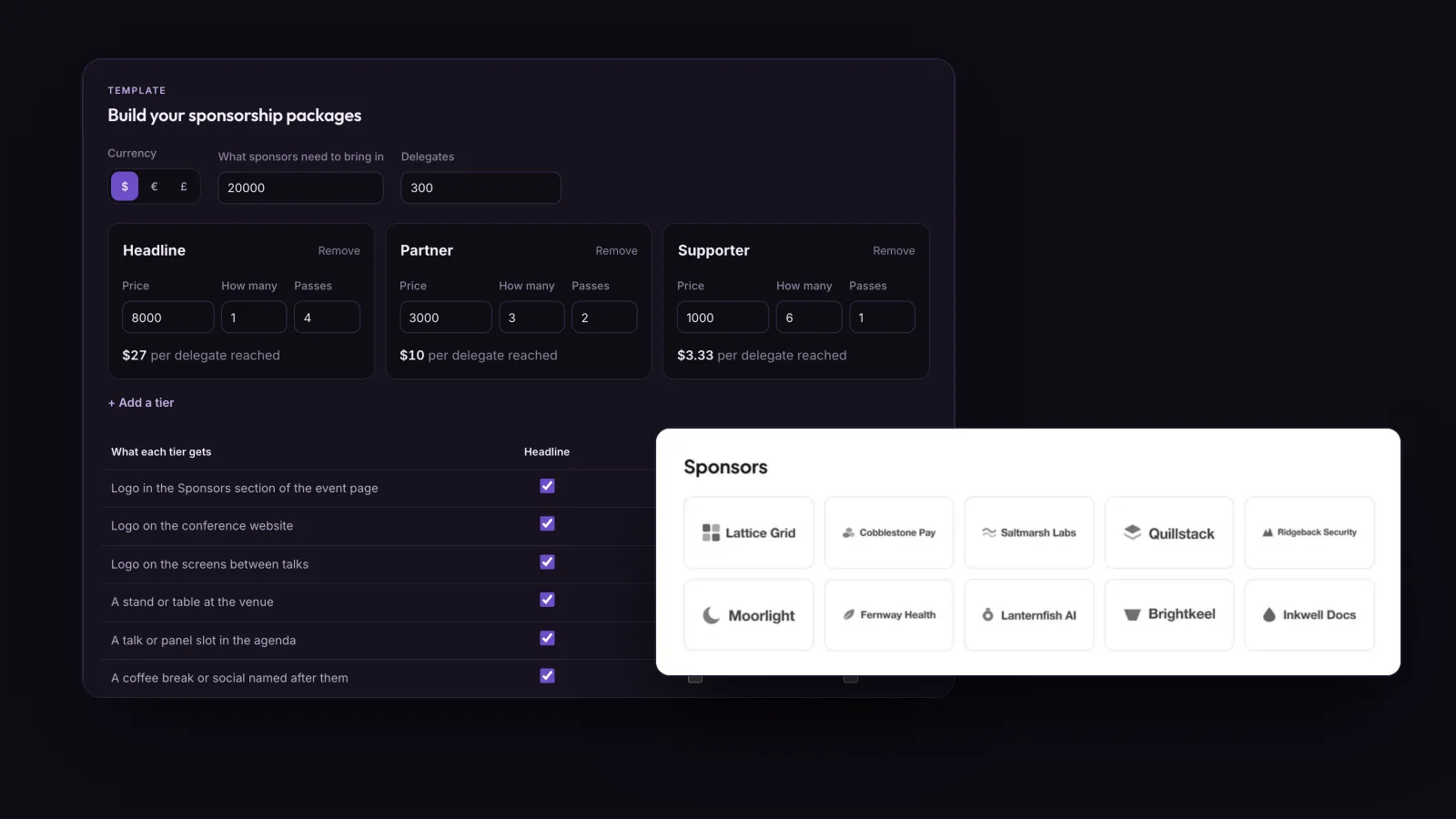
Dividing a sponsorship package’s price by the number of delegates gives its cost per delegate reached, so an $8,000 package at a 300-delegate conference costs the sponsor about $27 for each delegate.
Build your packages
The template starts with three tiers for a 300-delegate conference that needs $20,000 from sponsors. Change the target, the prices and what each tier includes, and it works out what selling everything would raise, the cost per delegate for each tier, and how many of your places go to sponsors’ passes. When it looks right, copy it as text for an email or download it as a CSV to finish in a spreadsheet.
With the example numbers, selling every package raises $23,000, so the target is still covered if one of the three partner packages goes unsold. The headline sponsor pays about $27 a delegate and each supporter about $3. Keep an eye on the passes as well. Sixteen sponsor passes are sixteen places you can’t sell, which matters if the venue is going to be full.
Conference passes given to sponsors are places that can’t be sold, so three tiers with 4, 2 and 1 passes across ten sponsors take 16 places, about 5% of a 300-delegate conference.
What goes in each tier
Keep the number of tiers small. Three suits most conferences, and I wouldn’t go past four. Every extra tier is one more line a sponsor has to read and compare, and the differences between them get thinner each time.
The headline package should be the one with things nobody else can have. One company gets the opening slot in the agenda, the lanyards and the coffee break named after them, and it’s worth saying in the package that it’s exclusive. Partners get presence at the event itself: a stand, their logo on the screens between talks, a mention in the email that goes out before the day. Supporters get the basics done well, which means a logo on the event page and your website, a thank-you post and a pass.
Put passes in every tier. A company that sends two people to talk to delegates gets far more out of the day than one whose logo sits on a slide, and they’re more likely to judge it a success. Give each sponsor their own tracked registration link as well, so they can share it with their own customers and see what came of it.
For a community event, think about a supporter ticket too. That’s an ordinary delegate pass sold at a higher price, with a thank-you on the website for the people who buy it. Some people who’d never sign a sponsorship contract are glad to pay a bit extra for an event they like, and it goes through your normal checkout with no contract or invoice to chase.
Writing the proposal
The proposal itself can be short. A page about the event, a page of packages, and an easy way to say yes.
The page about the event is the one people skimp on, and it’s the one a sponsor reads most closely. Say who comes: how many delegates, what they do, the kinds of companies they work for, and how many came last year. If you asked for job title and company at registration, you already have most of it. On Hi.Events, each ticket type can have its own registration questions, and Export Answers downloads every answer as an Excel spreadsheet, so last year’s breakdown is one download away.
Then the packages, laid out the way the template does it, with the price, how many are available and exactly what’s in each one. Give a deadline for anything that has to be printed or built, because a logo on the lanyards has to arrive before the lanyards are ordered. Finish with the name and email address of whoever will answer questions, and how payment works. Sponsors will usually want an invoice.
Send it to a person. A proposal sent to a general inbox lands in the same pile as everything else. The company’s events or community lead, or whoever sponsored a similar event last year, is a much better bet.
Delivering what you sold
Once the packages are sold, most of the work is keeping the promises in them, and some of that you can set up on the event page.
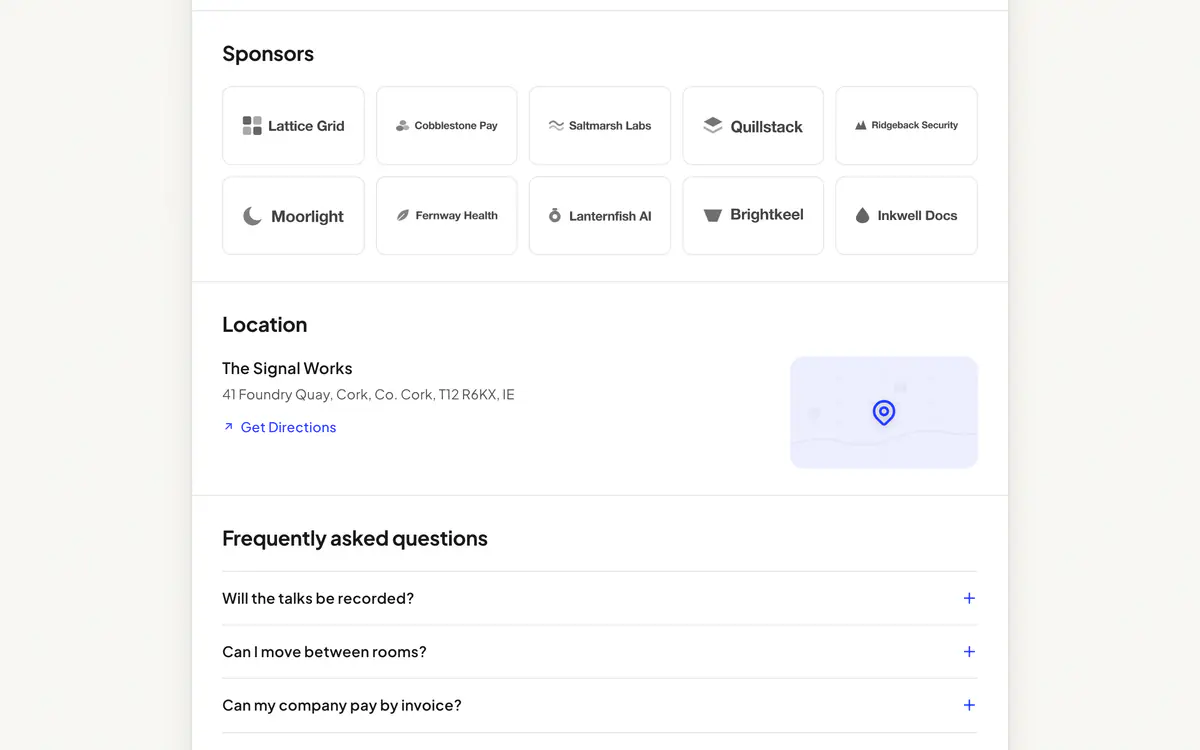
On Hi.Events, the event page has a Sponsors section that you add in the page designer. It takes up to 60 logos, each with a name and a link to the sponsor’s site. You can add the section more than once, so each tier can have its own heading, with the headline sponsor in a section of its own above the rest. Within one section, every logo is shown at the same size.
A sponsor’s tracked link is an affiliate. You create one for each sponsor, and their link is your event page address with their code on the end. The Affiliates page then shows how many orders came through each link and what they were worth, which is the number you’ll want for the report afterwards. The link is remembered in the buyer’s browser for 30 days, so someone who clicks it today and buys next week still counts, as long as they use the same browser.
Sponsor passes are easiest as a hidden ticket type. A free ticket that only appears when someone enters a promo code lets each sponsor register their own people with the code you send them, and their names and companies come in through the same registration questions as everyone else’s. If a sponsor would rather send you a list of names, you can add people by hand without them going through checkout.
If a package includes a talk, put the speaker in the agenda like any other, and set their role to something like “Sponsor talk” if you want to be upfront about it. The agenda and lineup page shows how the agenda works, and the rest of a conference setup, from registration questions to invoices, is on the conference ticketing page.
After the event, send each sponsor a short note with what you can count: orders through their link, how many of their passes were used, how many people came to their talk. It takes ten minutes, and it’s the thing most likely to get you a yes next year.
Questions people ask
What should a sponsorship package include?
The price, how many of that package are available, and exactly what the sponsor gets: where their logo appears, any stand, talk or named session, how many conference passes, and how you will report the results, such as registrations through their tracked link.
How do you price event sponsorship packages?
Start from the gap between what the event costs and what tickets will bring in, decide how many of each package you can sell, and set prices so that selling most of them covers the gap. Then check each package's cost per delegate, its price divided by your delegate count, because that is how a sponsor will judge it.
How many sponsorship tiers should a conference have?
Three suits most conferences, and more than four gets hard for a sponsor to compare. Keep the scarce things, like the opening talk or the lanyards, for the top tier so the differences between tiers are clear.
Can I show sponsor logos on my Hi.Events event page?
Yes. Add a Sponsors section in the page designer, with up to 60 logos, each with an optional name and a link. Add one section per tier if you want separate headings. See Customizing the event page.