How many people do you need on the door?
The length of a door queue comes down to when people arrive and how fast you can scan them. Set up your own night in the simulator and watch it play out.
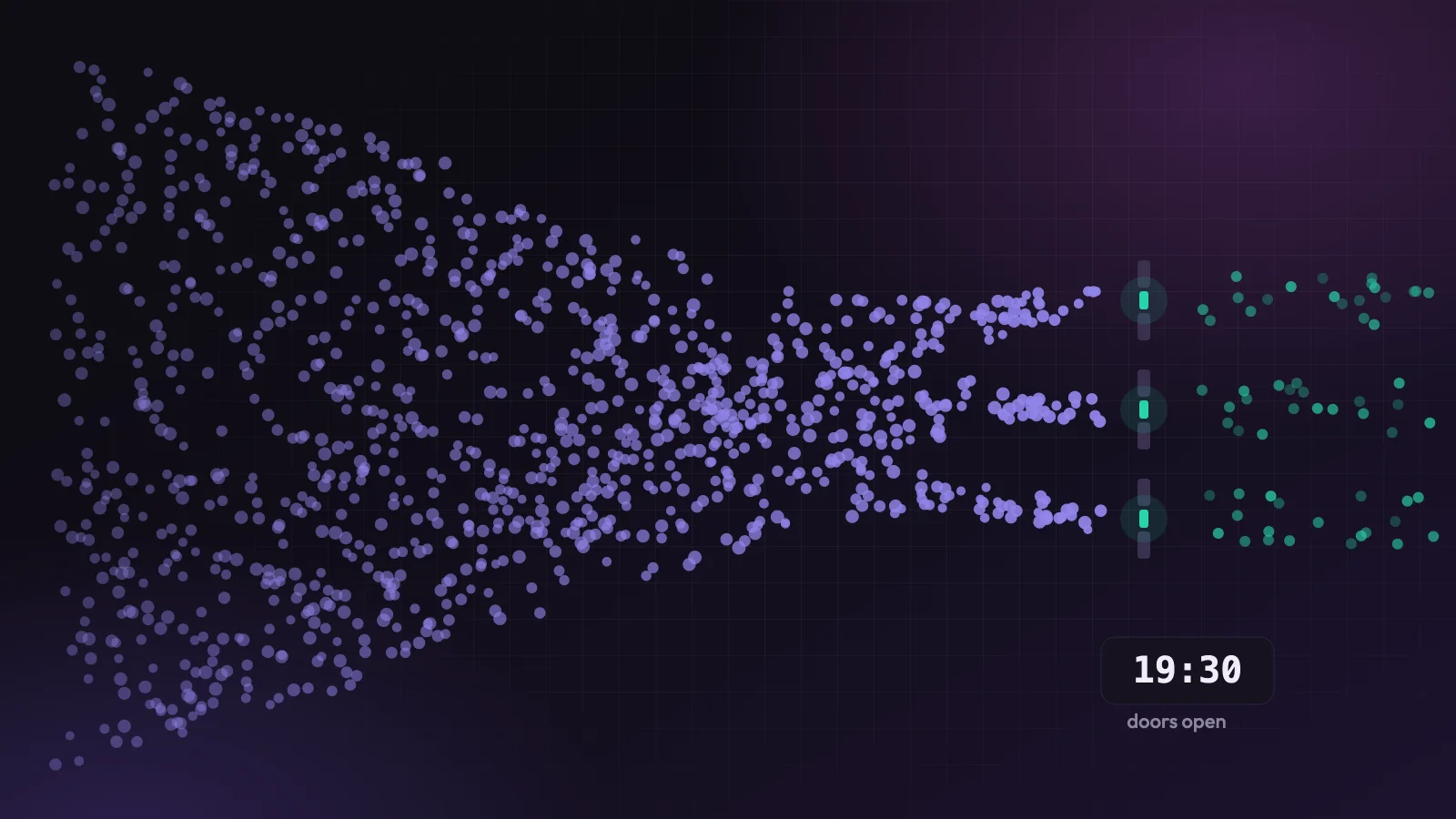
It’s nearly half seven and the doors are about to open. There are two hundred people on the footpath already, and it has just started to rain. You’ve got two people with phones ready to scan tickets, and a nagging feeling that two isn’t enough.
It usually isn’t, but the reason surprises people. How many tickets you sold matters less than you’d think. What decides the length of your queue is how many of those people turn up at the same moment, and how long each one takes once they reach the front.
Headcount is the wrong question
Take 800 people. If they wander in evenly over an hour and a half, that’s about nine a minute, and two people scanning will barely notice them. If half of them are standing outside when the doors open, you’ve got four hundred people and the same two phones, and the first hour of your night is a queue.
Same event, same number of tickets, completely different door. Most organisers plan their staffing around the total, because that’s the number on the sales dashboard. The number that actually matters is the size of the rush.
The maths fits on a beer mat
There are 3,600 seconds in an hour. Divide that by how many seconds each person takes at the door and you have the number one scanner can get through in an hour. At 9 seconds a person, that’s 400. At 4 seconds, it’s 900.
One person scanning tickets at 9 seconds a person can check in about 400 people an hour, which is the 3,600 seconds in an hour divided by the seconds each person takes.
Those seconds cover the whole exchange at the table. Someone steps up, finds the email, turns the brightness up, holds the phone the wrong way round, gets scanned, and moves on. As a rough guide, a crowd that has its tickets ready manages about four or five seconds a head. A crowd digging through their inbox is closer to ten. Add an ID check or a bag search at the same table and you’re at fifteen or more.
When people arrive faster than you can scan them, the queue grows. When they arrive slower, it shrinks. That’s all a queue is. The simulator below runs that through a whole evening, so you can see what it looks like.
Run your own night
Pick a crowd, set how fast each scan is and how many people you have scanning, then watch the night play out. You can drag across the chart to go back to any moment.
What the simulator shows
Start with the defaults: 800 tickets, a crowd waiting at the doors, 9 seconds a person, and two people scanning. The unluckiest people wait about 20 minutes after the doors open, and the queue doesn’t settle down until nearly half eight. Switch the crowd to “Spread out” and the same two scanners keep the wait to about three minutes. Nothing changed except when people showed up.
Going back to the crowd at the doors, the fix is more scanners, and it takes more than you’d guess. Four people scanning brings the worst wait down to about 8 minutes. Keeping nine in ten people under five minutes takes six.
Then try the other lever. Leave it at two people scanning and drop the time per person from 9 seconds to 4, the “Phones out” preset. The longest wait falls to about 7 minutes, which beats four people scanning at 9 seconds.
At a door where most of the crowd arrives at once, cutting each check-in from 9 seconds to 4 clears the queue sooner than doubling the number of people scanning, because it more than doubles what each scanner gets through.
That’s the most useful thing I learned building this. Staff are expensive and hard to find at short notice. A faster scan mostly comes down to telling people what to do before they reach the door.
Making every scan quicker
Tell people to have their ticket ready before they reach the door. Say it in the reminder email and on a sign outside as well as on the ticket itself. A QR code already on screen is most of the difference between four seconds and nine.
Keep problems out of the scanning line. The person whose ticket went to an old email address will take two minutes to sort out, and everyone behind them waits for those two minutes. Put someone to one side who can look people up by name and deal with them there, so the scanners keep moving.
Do slow checks somewhere else. If you need to check ID or search bags, have different people do it before or after the scan, so a slow bag search never holds up someone who only needs scanning. Just remember those checks need their own staff, sized for their own queue, or you’ve only moved the bottleneck.
Make the scanning easy. A bright phone, decent light at the door and a scanner that works from a bit of a distance all help. If your venue has a basement door with no signal, sort that out in advance, because the Hi.Events check-in app needs a connection to mark people in and to stop the same ticket being used twice.
Spreading the crowd out
The other approach is to make the rush smaller.
Opening the doors earlier is the obvious one. Thirty minutes more at the start spreads the same crowd over a longer window, and a support act or an early-bird drink gives people a reason to come in early. For conferences, a registration window the evening before takes a big bite out of the morning queue.
Staggered entry works well at bigger events. If your tickets carry an entry time, or different ticket types go to different entrances, you’re turning one rush into several smaller ones. Hi.Events lets you create a check-in list for each entrance and pick which ticket types it covers, so each door only sees its own tickets. Keep each ticket type on one list, because a ticket that’s on two lists can be scanned in at both.
A rough rule for the night
If you’d rather skip the simulator, estimate how many people will arrive in the busiest half hour, including everyone who’s already waiting when the doors open. In the simulator’s “Queue at doors” night that’s about three quarters of the tickets, which isn’t a bad guess for a gig. Divide that by how many one person can scan in half an hour, which is the 1,800 seconds in half an hour divided by the seconds per person. Round up and add one.
For our 800-ticket gig at 9 seconds a person, that’s around 600 people in the rush and 200 per scanner per half hour. That comes to three, plus one, so four people scanning, and the simulator agrees that four gets everyone in without anyone waiting much more than eight minutes. Then put one more person to the side for the problem tickets, and you’ll have a much calmer half seven.